Most SEO outreach emails never get a reply. Some bounce, some reach the wrong person and some sound like every other pitch in the inbox.
The best SEO outreach software like Uprankly ($37 one-time), Pitchbox (starting $300), Buzzstream (starter $49) solves bounced emails, wrong contacts and generic pitches by finding the right sites, verifying contacts and handling follow-ups for you.
Key Takeaways
- SEO outreach tools find prospects, verify emails and send follow-ups to earn backlinks, mentions and coverage.
- I tested 23 tools for SEO outreach and listed the 11 that help get more replies with less manual work.
- Choose a tool based on your SEO goals, team size, outreach volume, email finding needs and budget.
In this guide, I’ll help you choose which outreach tool for SEO fits your goals, team and budget.
What are SEO Outreach Tools?
SEO outreach platforms are these tools which find websites to pitch, get the right contact’s email and send outreach that earns backlinks, guest posts or mentions.
They help you find websites worth connecting with, discover link opportunities, and track every campaign from one place.
You can research prospects, send personalized emails, and manage replies without juggling multiple tools.
The real power of these tools is in saving time while building genuine relationships that lead to quality backlinks.
If you want smarter, faster, and more organized outreach, these tools are a great place to start. 100s of teams pair them with link building tools for research and planning.
SEO Outreach Software in 2026 Compared
The table below compares the best outreach software for seo best use, key outreach features and starting price.
Starting prices show what a tool costs, not what each link costs you. Use a link building ROI calculator to find your real cost per link before you pick a tool.
Read and pick the one that fits your outreach goal.
| Tool Name | Best For | Key Features | Starting Price |
| Uprankly | SEO agencies, link builders | Prospect discovery, AI openers, verified contacts, automated follow-ups, AI Unibox | $37 (one-time), $119/mo (Starter) |
| Pitchbox | Large SEO agencies | SEO tool integrations, campaign workflows, conditional sequences, AI personalization | $300/mo |
| BuzzStream | Digital PR teams | Contact history, BuzzMarker, prospecting searches, templates and follow-ups | $49/mo |
| Linkee | In-house SEO teams | AI prospect vetting, PBN removal, contact roles, automated follow-ups | $97/mo |
| Prezly | PR agencies, comms teams | PR CRM, personal pitching, own-domain sending, open and click tracking | €100/mo (For Brand) |
| Snov.io | Freelancers, small teams | Email finder, verifier, drip campaigns, inbox warm-up | $39/mo |
| Semrush | Marketing teams | Prospect generation, outreach strategies, Gmail integration, journalist database | $139.95/mo |
| Hunter | Link builders, freelancers | Domain Search, Email Verifier, outreach sequences | Free, Starter $49/mo |
| Lemlist | Outreach teams | Email and LinkedIn sequences, lemwarm, AI personalization | $69/mo |
How I Evaluated the Best SEO Outreach Software and Tools?
To pick the best SEO outreach software, I looked at how each tool handles the full outreach cycle, from finding sites to landing replies, and what it costs to run.
Every tool on this list was judged on the same criteria:
- Prospect discovery: Outreach starts with the right sites. Tools that find prospects from keywords or competitor backlinks save hours of manual list building.
- Contact data: A pitch is wasted if it reaches the wrong inbox or bounces. Verified emails for the editor or site owner give every pitch a real chance.
- Personalization: Site owners ignore pitches that read like templates. AI openers and custom fields help each email feel written for that site.
- Follow-up automation: Many replies come after the first email. Scheduled follow-ups that stop on reply keep campaigns moving without manual tracking.
- Deliverability: Pitches that land in spam never get read. Warm-up, sending limits and sending from your own inbox protect your domain.
- Pricing: Outreach is an ongoing cost, so per-seat fees, credit limits and contracts all affect what you really pay.
Disclosure: Uprankly is my company product. It went through the same review as every other tool, and its cons are listed too.
What are the Best SEO Outreach Software in 2026?
The best SEO outreach software are Uprankly, Pitchbox, BuzzStream, Linkee, Prezly, Snov.io, Semrush, Hunter and Lemlist. They help you find relevant sites, get verified emails and send follow-ups that earn backlinks, mentions and coverage.
#01. Uprankly: Best for End-to-End SEO Outreach
Best for: SEO agencies, link builders and in-house SEO teams
Pricing: Test-drive $37 (one-time), Starter $199/mo, Pro $399/mo, Agency $799/mo
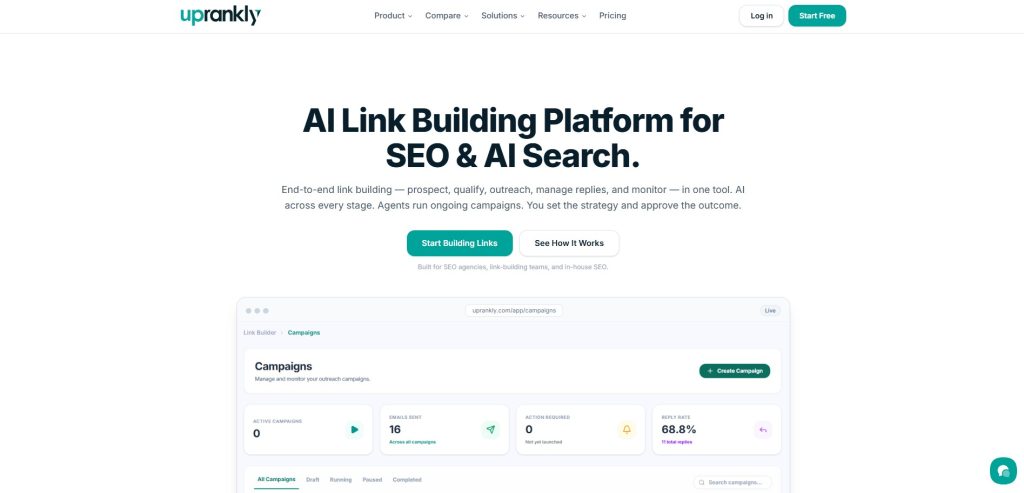
Uprankly is a link building platform that runs the full SEO outreach process in one place. It finds prospects, checks their SEO metrics, gets verified contacts and sends personalized pitches with follow-ups from your own inbox.
Replies from every inbox land in one place, where AI sorts them by intent and drafts responses. I used Uprankly to pitch 34 sites, and the campaign went live 25 to 30 minutes after I started.
Key Features
- Prospect discovery: Finds outreach targets by keyword, competitor backlink gaps with Link Planner, lookalike sites or a pre-vetted directory. My list of 34 domains took about 2 minutes.
- AI qualification: Vets each prospect for editorial fit and risk and adds SEO metrics, so weak sites drop out before you pitch.
- Contact enrichment: Finds and verifies the right email for each site. It handled 34 domains in about 15 minutes, and none of my 66 emails bounced.
- AI openers: Writes a personal first line from each site’s recent content, so pitches don’t read like templates.
- Multi-step sequences: Uprankly Link Builder sends from your own Gmail, Outlook or SMTP accounts with timezone throttling.
- Automated follow-ups: Sends follow-ups on your schedule and pauses when a site replies. Half of my replies came from the follow-up.
- AI Unibox: Puts replies from every inbox in one place, classifies intent, routes out-of-office replies and drafts responses.
- AI Link Agent: Finds, qualifies and contacts prospects and handles follow-ups on its own, but never places a link without your approval.
Pros
- Covers prospecting, contacts, outreach and replies in one tool
- Verified contacts keep bounce rates low
- Follow-ups and reply sorting run without manual tracking
- Sends from your own inbox, not a shared sender
- Tracks every earned link 24/7 with Link Monitor
Cons
- Contact enrichment can be slow on large lists
- Newer brand with fewer third-party reviews
- No journalist database for digital PR outreach
How to Run SEO Outreach with Uprankly
- Find prospects. Search by keyword, pull sites from a competitor’s backlink gaps, find lookalike sites or browse the pre-vetted site directory.
- Qualify the list. Uprankly’s AI checks each site for editorial fit and risk, then fills in its SEO metrics.
- Enrich contacts. Get a verified email for the right person on each site.
- Write your pitch. Add an AI-written opener based on each site’s recent content, then edit it to fit your offer.
- Build the sequence. Connect Gmail, Outlook or SMTP, and set your follow-up steps and timing.
- Launch the campaign. Emails go out with timezone-based throttling, and follow-ups stop once a site replies.
- Handle replies. Open AI Unibox to see every reply, sorted by intent, with drafted answers for positive ones.
Once backlink goes live, backlink monitoring tool keeps them from disappearing without notice.
Setup and Learning Curve: Easy. My first campaign went from an empty list to live outreach in 25 to 30 minutes, with no training needed.
#02. Pitchbox: Best for High-Volume Agency Outreach
Best for: Large SEO agencies and enterprise link building teams
Pricing: Pro $300/mo, Advanced $600/mo, Scale $1200/mo
Pitchbox is a backlink outreach platform built for agencies that run many link building campaigns at once. It pulls prospects and metrics from Ahrefs, Semrush, Moz and Majestic, finds contacts and sends sequences that change based on how each prospect responds. Campaign templates cover guest posts, broken link building, resource pages and link reclamation.
Key Features
- SEO data integrations: Filters prospects with metrics from Ahrefs, Semrush, Moz and Majestic.
- Campaign workflows: Ready-made flows for guest posts, broken links, resource pages and link reclamation.
- Email finder and verifier: Finds contacts and checks them before you send.
- AI personalization: Adds a personal line to each pitch based on the prospect’s content.
- Conditional sequences: Changes the next follow-up based on whether a prospect opened, clicked or replied.
- Deduplication and blocklists: Stops team members from contacting the same site twice.
- AI reply agent and unified inbox: Collects every reply in one place and helps you answer faster.
Pros
- Built for many clients and campaigns at once
- Deep connections with major SEO data tools
- Smart follow-up logic based on prospect behavior
- Strong controls against duplicate outreach
Cons
- One-year contract on every plan
- Pro plan limits you to 2 users and 2,000 emails a month
- Best prospect data needs a separate Ahrefs or Semrush subscription
- White-label reports only on the $1,200/mo Scale plan
How to Run SEO Outreach with Pitchbox
- Book a demo. Pitchbox has no self-serve trial, so access starts with a call.
- Connect your SEO tools. Link your Ahrefs, Semrush, Moz or Majestic account to pull site metrics.
- Choose a campaign type. Pick a workflow such as guest posting, broken link building or link reclamation.
- Build your prospect list. Search by keyword or import a list, then filter by authority and traffic.
- Find and verify contacts. Let Pitchbox pull and check an email for each site.
- Set up the sequence. Write your pitch, add AI personalization and set follow-up rules.
- Manage replies. Work through responses in the unified inbox with help from the AI reply agent.
Setup and Learning Curve: Steep. The platform has many settings, there’s no free trial to explore first, and guided setup costs $2,000 on the Advanced plan unless you pay yearly.
If the price or setup time is too much for your team, these Pitchbox alternatives cost less.
#03. Buzzstream: Best for Relationship-Based SEO Outreach
Best for: Digital PR teams, link builders and small SEO agencies
Pricing: Starter $49/mo, Growth $174/mo, Professional $424/mo, Custom Starting $999/mo
BuzzStream works like a CRM for SEO outreach. Every email, reply and note with a site owner is saved in one contact record, so your team can see the full history before pitching the same site again. It also includes prospecting searches, email templates, follow-ups and reply tracking.
Key Features
- Contact history: Saves every email, note and outcome per site owner, so no one pitches the same person twice by mistake.
- BuzzMarker extension: Shows contact details and site metrics while you browse, and adds sites to a project in one click.
- Prospecting searches: Finds outreach targets by keyword, with 30 searches a month on Starter and 250 on Growth.
- Contact discovery: Finds emails and social profiles for the sites you add.
- Templates and follow-ups: Sends personalized pitches and scheduled follow-ups.
- Open, click and reply tracking: Shows which prospects engaged with your pitch.
Pros
- Full contact history for long-term outreach relationships
- BuzzMarker speeds up adding sites while browsing
- Low entry price for solo users
- Shared contact lists work well for teams
Cons
- Starter includes just 500 contacts and one user
- Bulk sending and email scheduling need the $174/mo Growth plan
- Limited prospecting searches, so you’ll often need another tool for lists
- Interface feels dated next to newer tools
If these limits matter to you, check these BuzzStream alternatives.
How to Run SEO Outreach with BuzzStream
- Create a project. Set one up for each client or campaign.
- Add prospects. Run a prospecting search by keyword, or use the BuzzMarker extension to add sites while you browse.
- Find contact details. BuzzStream pulls emails and social profiles for the sites you add.
- Write templates. Build pitch templates with merge fields for names and site details.
- Send and follow up. Send your pitches and schedule follow-ups for sites that don’t reply.
- Track relationships. Check opens, clicks and replies, and update each contact’s status as the conversation moves.
Setup and Learning Curve: Moderate. Sending a first pitch is simple, but setting up projects, custom fields and templates the right way takes time.
#04. Linkee: Best for AI-Vetted Outreach Lists
Best for: SEO specialists, in-house teams and small agencies
Pricing: Essential $97/mo, Pro $197/mo, Agency $358/mo
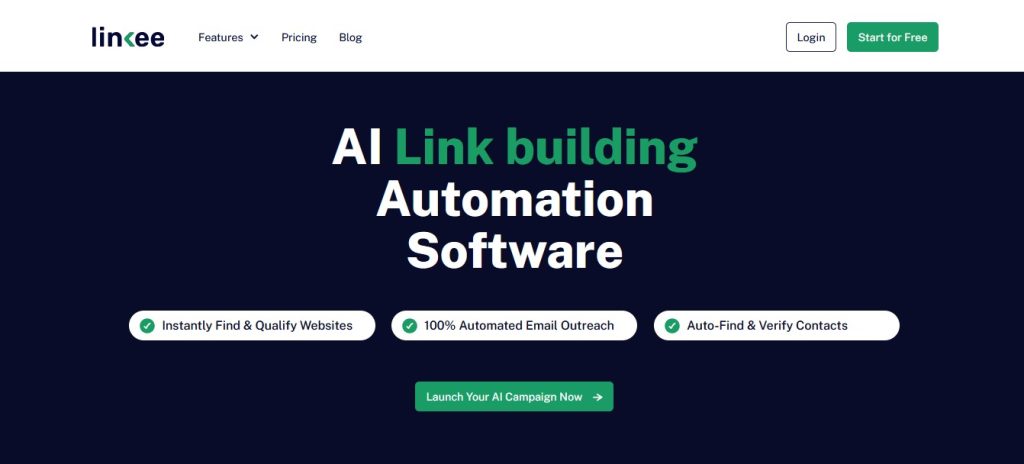
Linkee builds clean outreach lists for guest post and niche edit campaigns. Its AI checks every prospect for topic relevance and quality, removes PBNs and spammy sites, and finds a verified contact before you write a single pitch. Outreach and follow-ups then run from the same dashboard.
Key Features
- AI relevance matching: Compares your keyword with each site’s pages, so you only pitch blogs on your topic.
- Quality filters: Screens prospects by DA, spam score, word count and language.
- Automatic cleanup: Removes PBNs, broken links, insecure sites and duplicate prospects.
- Site categorization: Groups prospects by site type and niche.
- Contact finder with roles: Shows verified emails along with names and job titles.
- Templates and follow-ups: Sends personalized pitches and scheduled follow-ups.
Pros
- Cleans prospect lists before you spend time on outreach
- Filters out PBNs and spam sites automatically
- Contact roles help you reach the right editor
- Free trial without a credit card
Cons
- Credits run out fast on large campaigns
- Essential and Pro plans include one project and one user seat
- Built for guest posts and niche edits only
- No white-label client reports listed
How to Run SEO Outreach with Linkee
- Pick a campaign type. Choose guest posts or niche edit.
- Add prospects. Enter a target keyword, or import a list from Ahrefs or Semrush.
- Let the AI vet the list. Linkee checks relevance, DA, spam score, word count and language for each site.
- Review the clean list. PBNs, broken links, insecure sites and sites you’ve already contacted are removed.
- Get contacts. Find verified emails with each contact’s name and job title.
- Send your outreach. Use a saved template, personalize each pitch and schedule automatic follow-ups.
Setup and Learning Curve: Easy. Choose a campaign, add a keyword or list, and Linkee handles the vetting. Learning how credits are used takes a little time.
#05. Prezly: Best for Digital PR and Journalist Outreach
Best for: Digital PR teams, PR agencies and in-house comms teams
Pricing: For Brands: Essential €100/mo, Standard €300/mo, Enterprise (Custom pricing)
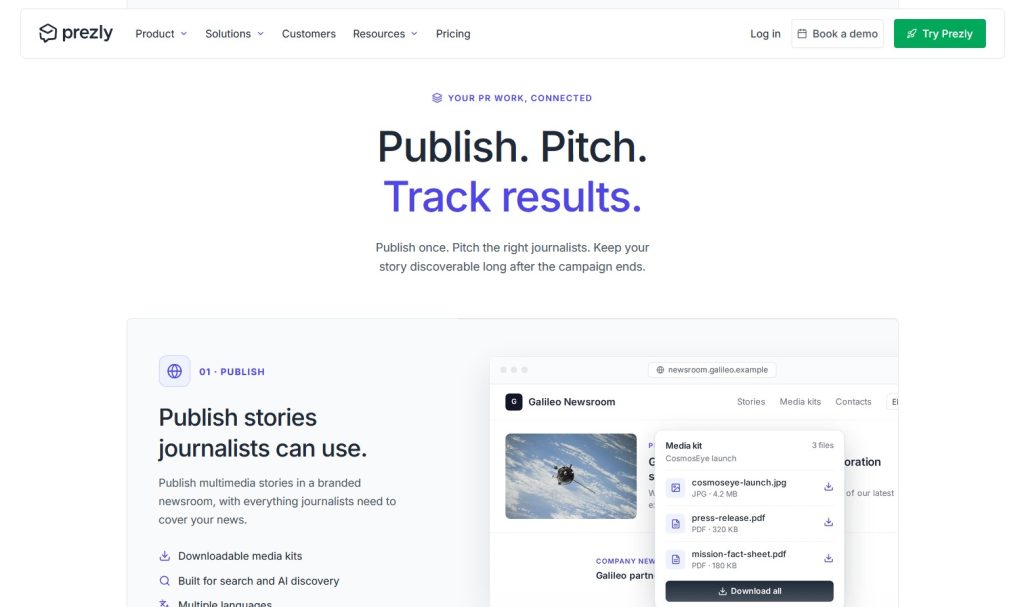
Prezly is PR software for earning links and mentions through media coverage. It keeps every journalist’s beat, notes and email history in one PR CRM, and sends personal pitches from your own email domain with your story attached. Open and click tracking shows who engaged, and coverage tracking shows which pitches turned into articles.
Key Features
- PR CRM: Stores each journalist’s beat, notes and full email history in one profile.
- Personal pitching: Sends 1:1 pitches with personalization tags and your story attached.
- Own-domain sending: Delivers outreach from your or your client’s email domain.
- Curated media lists: Prezly’s team can build a media list for your story and add it to your CRM.
- Open and click tracking: Shows which journalists engaged with each pitch.
- Coverage tracking: Logs the articles your outreach earned.
- Branded newsroom: Gives journalists a page with your stories, images and media kits.
Pros
- Built for journalist and digital PR outreach
- Full relationship history for every media contact
- Sends from your own domain for better delivery
- 14-day free trial without a card
Cons
- No SEO metrics or backlink data for prospects
- Not built for guest post or niche edit outreach
- Doesn’t track whether coverage includes a backlink
- Higher starting price than most SEO outreach tools
How to Run SEO Outreach with Prezly
- Bring in your contacts. Import your media lists, or ask Prezly’s team to build a curated list for your story.
- Organize your lists. Tag journalists by beat, outlet or market so each pitch reaches the right people.
- Publish your story. Create the press release or story in your branded newsroom.
- Write a personal pitch. Add personalization tags and attach your story or media kit.
- Send from your own domain. Pitches go out from your email address, not a shared sender.
- Track results. Check opens and clicks, then log the coverage your pitch earned.
Setup and Learning Curve: Easy. Importing contacts and sending a first pitch takes little time, and free migration helps if you’re switching from another PR tool.
#06. Snov: Best for Budget Email Finding and Outreach
Best for: Freelancers, small SEO teams and startups
Pricing: Starter $39/mo, Pro $99/mo (S), Custom Ultra (Custom Pricing).
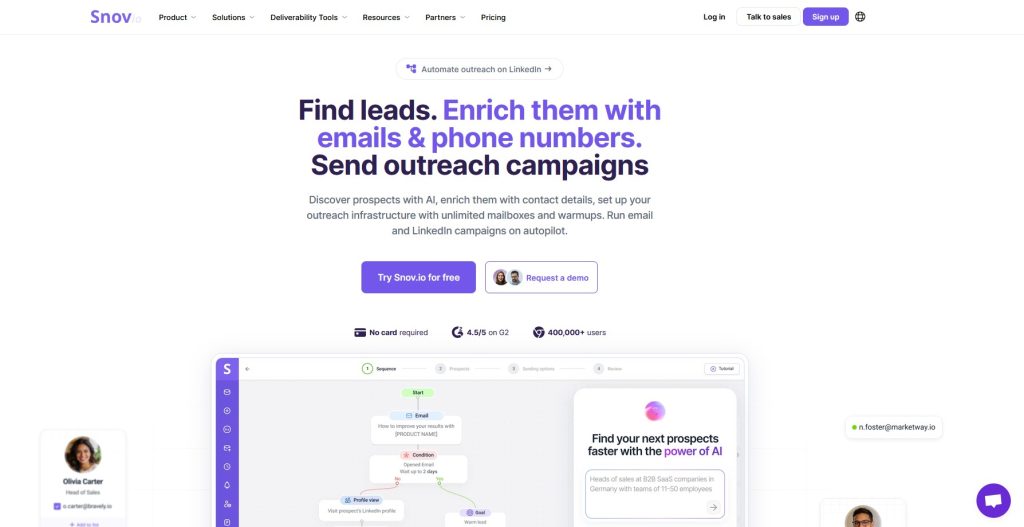
Snov.io finds and verifies prospect emails, then sends outreach sequences from the same account. For SEO outreach, that means you can pull contacts for a list of sites and pitch them without paying for a separate email finder. It was built for sales teams, so there are no SEO metrics, but the email tools work well for link building pitches.
Key Features
- Domain Search and Email Finder: Finds contacts for any site, one at a time or in bulk.
- Email Verifier: Checks addresses before you pitch, so fewer emails bounce.
- Chrome extension: Grabs emails from any site while you browse.
- Drip campaigns: Sends pitches and follow-ups on a schedule and stops when a prospect replies.
- Inbox warm-up: Builds sender reputation so pitches reach the inbox.
- A/B testing: Compares two versions of a pitch to see which gets more replies.
- Built-in CRM: Tracks each prospect’s stage after they reply.
Pros
- Email finding, verifying and sending in one low-cost tool
- Unlimited team seats on every plan
- Warm-up included
- Free trial that renews monthly
Cons
- No SEO metrics or site quality checks for prospects
- No link placement or backlink tracking
- Free trial leaves out bulk search, bulk verification, A/B testing and export
- Credits limit large campaigns on lower plans
How to Run SEO Outreach with Snov.io
- Add your prospect sites. Upload a list of domains you want to pitch.
- Find emails. Run Domain Search or the Email Finder to pull contacts for each site.
- Verify the list. Use the Email Verifier to remove risky addresses before you send.
- Warm up your inbox. Turn on warm-up so your pitches build sender reputation first.
- Create a drip campaign. Write your pitch, add follow-up steps and set the timing.
- Launch and track. Watch opens, clicks and replies, and manage responses in the CRM.
Setup and Learning Curve: Moderate. Finding emails is quick, but setting up warm-up, sequences and the CRM takes time, and many menus are built for sales work.
#07. Semrush: Best for Outreach Inside an All-in-One SEO Suite
Best for: SEO agencies, marketing teams and in-house SEOs
Pricing: Pro $139.95/mo, Guru $249.95/mo, Business (Custom Pricing)
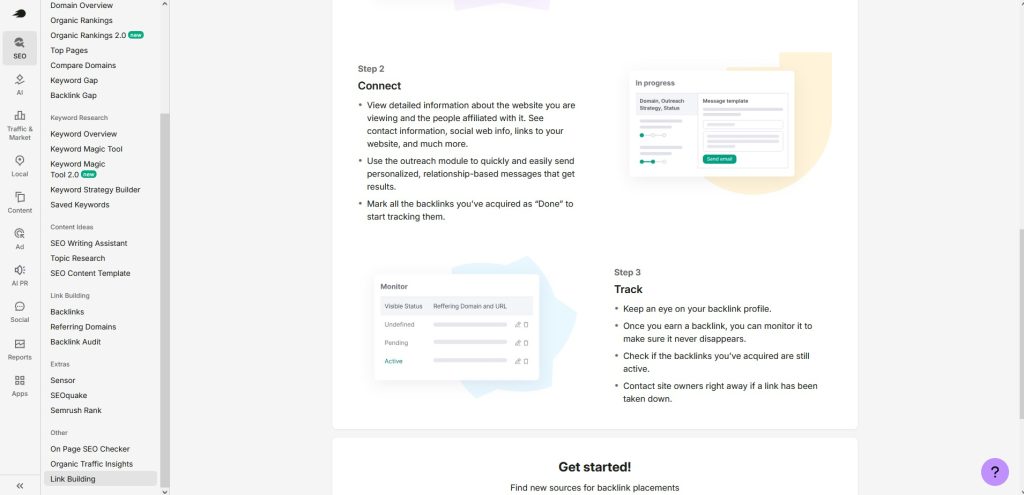
Semrush runs SEO outreach through its Link Building Tool. It builds a prospect list from sites that rank for your target keywords, sites that link to your competitors and domains you upload.
You then contact prospects from your connected email account and track each one through the campaign. For journalist outreach, the separate AI PR Toolkit adds a database of 600,000+ journalists and a pitching tool.
Key Features
- Prospect generation: Finds link prospects from keyword rankings, competitor backlinks and uploaded domains.
- Prospect filters: Narrows the list by URL type, keyword or TLD.
- Outreach strategies: Tags each prospect with a strategy such as guest post, product review or link from mention.
- Email integration: Sends outreach and follow-ups through Gmail or IMAP/SMTP.
- Reply and status tracking: Shows where each prospect stands in your campaign.
- AI PR Toolkit: Adds a 600,000+ journalist database, AI pitch writing and email analytics for digital PR.
Pros
- Prospects come from Semrush’s own keyword and backlink data
- Outreach runs inside the same tool as your SEO research
- Separate workflows for guest posts, reviews and mentions
- Journalist database available for digital PR
Cons
- Gmail sending is capped at 500 emails a day per account
- Outreach features are basic next to dedicated tools like Pitchbox
- The AI PR Toolkit is a separate subscription
- Expensive if you only need outreach
How to Run SEO Outreach with Semrush
- Create a Link Building project. Add your domain, target keywords and competitors.
- Review your prospects. Filter them by URL type, such as blogs, news sites or review sites, and by keyword or TLD.
- Move the best ones to In Progress. Assign an outreach strategy to each, like Guest Post, Product Review or Link from Mention.
- Connect your email. Link Gmail or another provider through IMAP/SMTP.
- Send pitches and follow-ups. Use templates to send personalized emails and follow-up sequences from inside Semrush.
- Track the results. Check replies and outreach status, and see which links went live.
Setup and Learning Curve: Moderate. Setting up a Link Building project is simple, but the full suite has many tools and menus to learn.
#08. Hunter: Best for Finding Site Owner Emails Before Outreach
Best for: Link builders, SEO freelancers and outreach teams
Pricing: Free plan with 50 credits/mo. Starter $49/mo, Growth $149/mo, Scale $299/mo, Enterprise (Custom pricing).
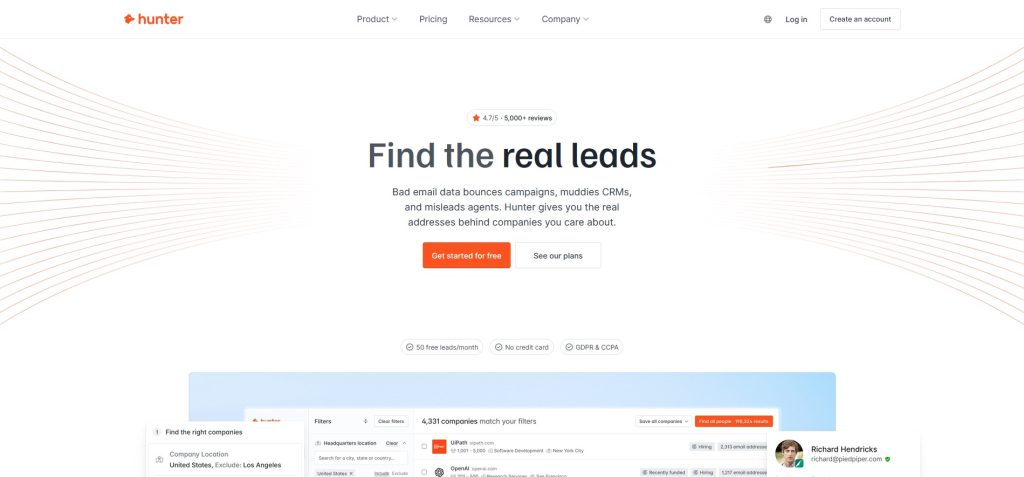
Hunter finds the email addresses behind a website and checks that they work before you pitch. You enter a domain, and it lists the people connected to that site with their names, roles and email addresses. Its Sequences feature then sends pitches and follow-ups from your own inbox, so you can run small SEO outreach campaigns without another tool.
Key Features
- Domain Search: Lists the email addresses linked to any site, with names and roles.
- Email Finder: Finds a specific person’s email from their name and website.
- Email Verifier: Checks each address before you send, one by one or in bulk.
- Chrome extension: Shows a site’s emails while you browse it.
- Sequences: Sends outreach and follow-ups from your connected inbox.
Pros
- Free plan to try before paying
- Unlimited users on every plan
- Accurate verification keeps bounce rates low
- Quick way to reach the right person on a site
Cons
- No prospect discovery by keyword or backlinks, so you bring your own site list
- No SEO metrics to qualify sites
- Credits reset each month and don’t roll over
- No link placement tracking after outreach
How to Run SEO Outreach with Hunter
- Search a prospect’s domain. Domain Search lists the email addresses found for that site.
- Pick the right contact. Choose the editor, owner or content manager instead of a generic inbox.
- Verify the email. Run it through the Email Verifier, or verify a whole list at once.
- Save your leads. Add contacts to a list for your campaign.
- Connect your inbox. Link the email account you’ll send from.
- Send a sequence. Write your pitch, add follow-up steps and launch the campaign.
Setup and Learning Curve: Very easy. Enter a domain and you have contacts in seconds. Setting up a sequence takes a few more minutes.
#09. Lemlist: Best for Personalized Multichannel Outreach
Best for: Outreach teams, SEO agencies and growth marketers
Pricing: Email $69/mo, Multichannel $109/mo, Enterprise (Custom Pricing)
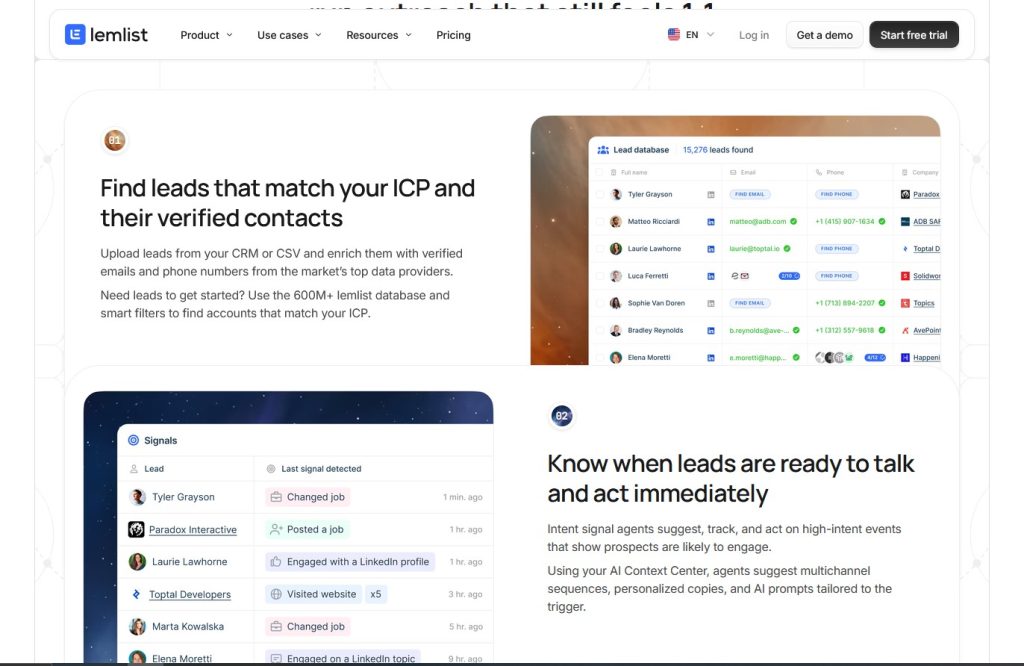
Lemlist sends personalized outreach across email and LinkedIn from one sequence. For SEO outreach, that lets you pitch a site owner by email, connect with them on LinkedIn and follow up again without switching tools. Every seat comes with lemwarm, its inbox warm-up tool, to help your pitches land in the inbox.
Key Features
- Multichannel sequences: Combines email and LinkedIn steps in one outreach flow.
- Email finder and verifier: Fills in and checks contacts before you send.
- lemwarm: Warms up every sending inbox automatically.
- AI personalization: Writes personal lines using details about each prospect.
- Unified inbox: Shows replies from every channel and sender in one place.
- Deliverability monitoring: Tracks inbox health and warns you before problems hurt results.
Pros
- Reaches prospects on email and LinkedIn in one flow
- Warm-up included on every seat
- Strong personalization options
- 14-day free trial
Cons
- Built for sales outreach, not link building
- No SEO metrics or link placement tracking
- Per-user pricing adds up for larger teams
- LinkedIn steps and the unified inbox need the higher-priced plan
How to Run SEO Outreach with Lemlist
- Import your prospects. Upload a CSV of sites and contacts, or find contacts with Lemlist’s lead database.
- Find and verify emails. Fill in missing emails and check them before sending.
- Turn on lemwarm. Warm up your inbox before the campaign starts.
- Build the sequence. Add email steps, plus LinkedIn steps on the Multichannel Expert plan.
- Personalize your pitches. Use AI and custom variables to tailor each email to the site.
- Launch and manage replies. Track opens and replies, and answer them from one inbox.
Setup and Learning Curve: Moderate. A simple email sequence launches quickly, but multichannel flows and warm-up settings take time to learn.
Why Should You Use SEO Outreach Automation Software for SEO?
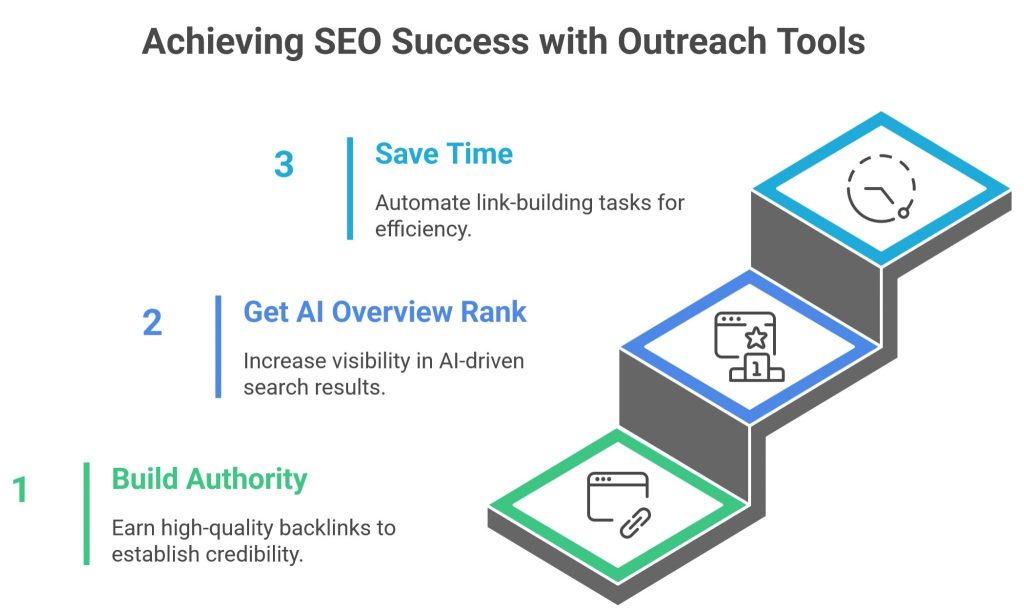
You should use SEO outreach software to build authority for your website. Additionally, linking from a high-quality site increases the likelihood of being ranked in an AI overview. More importantly, these tools help save time by automating the traditional link-building process.
To Build Authority
Building authority begins with earning links from reputable websites within your niche. SEO outreach tools help you find credible sites, connect with editors, and secure placements that boost your domain’s reputation.
The more high-quality backlinks you earn, the stronger your authority grows in both search rankings and audience trust.
To Get AI Overview Rank
As search engines integrate AI-powered overviews, strong backlinks become even more critical. SEO outreach tools help you build a solid link profile that signals expertise and credibility to AI systems.
By earning authoritative mentions, your content is more likely to appear in AI-driven summaries and recommendation panels.
To Save Time with Link Building Automation
Manual link building takes hours of research, outreach, and tracking. SEO outreach tools automate these repetitive tasks, helping you find prospects, send personalized emails, and track progress from a single dashboard.
This efficiency lets you focus on strategy and content while your campaigns run smoothly in the background.
FAQ
What are the best SEO outreach tools for link building?
Uprankly is the best SEO outreach tool for link building because it finds domains, verifies emails and sends campaigns in one place. Pitchbox suits agencies at scale, BuzzStream suits relationship tracking, and Hunter suits email finding.
How do you keep SEO outreach emails personal and avoid spam?
Pitch only relevant sites, keep emails short and space out follow-ups, the same rules that work in blogger outreach. Uprankly qualifies each site with AI and throttles sent by timezone. Lemlist adds custom variables, personalized images and inbox warm-up to protect deliverability.
Why do traditional SEO outreach tools fall short for small teams?
Traditional tools focus on volume and need separate apps for prospecting, emails and tracking. Small teams should look for site quality filters, verified contacts and one workflow. Uprankly covers all three, while Pitchbox suits larger agencies with more setup time.
How can I find verified email addresses for SEO outreach?
Use an email finder that checks each address before you send. Hunter and Snov.io find and verify emails by domain. Uprankly finds and verifies contacts inside the campaign, and my test sent 66 emails with zero bounces.
Which SEO outreach software should an SEO agency use?
SEO agencies should consider Uprankly for end-to-end link building campaigns, Pitchbox for high-volume outreach across many clients, and BuzzStream for team-based relationship tracking. Add Hunter or Snov.io if you need extra email finding and verification.
Pitchbox vs Respona vs Uprankly: Which is the best SEO outreach platform for SEO?
Choose based on your goal: Uprankly for an end-to-end link building workflow from prospects to monitoring, Pitchbox for agencies running high-volume campaigns, and Respona is now done-for you link building service.
What’s Next?
The best SEO outreach software helps you pitch sites that already link to content like yours. Earning those links depends on finding the right sites, reaching the right person and following up on time.
Uprankly finds prospects from your keywords and competitor backlink gaps, qualifies each site with AI and verifies every contact before you send. It then runs your follow-ups and brings all replies into one inbox, so no opportunity slips.
Try Uprankly and Launch Your First Campaign Today. See Pricing
