The best link building software for agencies in 2026 is Uprankly Link Builder (starting price $37/mo). Uprankly Link Builder covers prospecting through client reporting in one workspace with white-label reports on every plan and no per-seat charges.
Pitchbox ($300/mo+) suits large agencies running 50+ campaigns but gates client-facing features behind enterprise tiers.
For smaller teams, BuzzStream ($49/mo) handles relationship tracking well, and Respona ($99/mo) adds AI-powered personalization, though both charge per seat and lack built-in client portals.
Quick Comparison
| Tool | Best for | Starting price |
| Uprankly Link Builder | Agencies that need prospecting-to-reporting in one tool | $37/mo |
| Pitchbox | Enterprise agencies running 50+ campaigns | $300/mo |
| BuzzStream | Small teams focused on relationship management | $49/mo |
| Respona | AI-powered outreach with content-first prospecting | $100/mo |
What Makes Link Building Software “Agency-Ready”?
Most link building tools are built for in-house SEOs managing one site. Agencies need more. You’re juggling 5, 15, or 40 clients at once. Each has different approval workflows, different reporting needs, and different expectations.
Agency-ready software should handle three things a solo tool doesn’t:
- Client-specific management: campaigns, contacts, and reports stay organized per client
- Team management: assign campaigns to specific team members with role-based access
- White-label reporting: send branded reports without exporting to Google Slides
If a tool can’t do those three things, you’ll patch the gap with spreadsheets, Loom videos, and manual PDF exports. That eats margin fast.
Full Comparison Table: Link Building Software for Agencies
The table below compares pricing, core strengths, agency features, prospecting capabilities, and workflow coverage across popular link-building tools.
Thus, you can identify which tool best matches your budget, team structure, client requirements, and link-building needs.
| Tool | Starting price | Best for | Client portal | White-label reports | Per-seat pricing | Prospecting DB | Full pipeline |
| Uprankly Link Builder | $37/mo (Starting Price) | All-in-one for agencies | Yes | All plans | No (unlimited seats) | 70K+ vetted sites | Yes |
| Pitchbox | $300/mo | Enterprise scale | No | Higher tiers only | Yes | Integrations (Ahrefs, etc.) | Yes |
| BuzzStream | $49/mo/user | Relationship tracking | No | No | Yes | Basic | Partial |
| Respona | $100/mo | AI personalization | No | Higher tiers | Credit-based | Content-first | Yes |
| Linkee | $97/mo | Large prospect pool | No | No | Role-based | Large | Yes |
| Hunter.io | $49/mo | Contact discovery | No | No | Per-request | Email only | No |
| Snov.io | $39/mo | Multi-channel outreach | No | No | Credit-based | Email + LinkedIn | Partial |
| BacklinkManager | ~$39/mo | Link monitoring | No | No | No | None | No |
| Linkody | $14.90 | Backlink monitoring & link management | No dedicated portal | Yes | No | No | No |
The 9 Best Link Building Tools for Agencies
The right link building tools can streamline outreach, prospecting, and backlink analysis. Here are nine agency-friendly options worth considering.
1. Uprankly Link Builder — Best All-in-One for Agencies
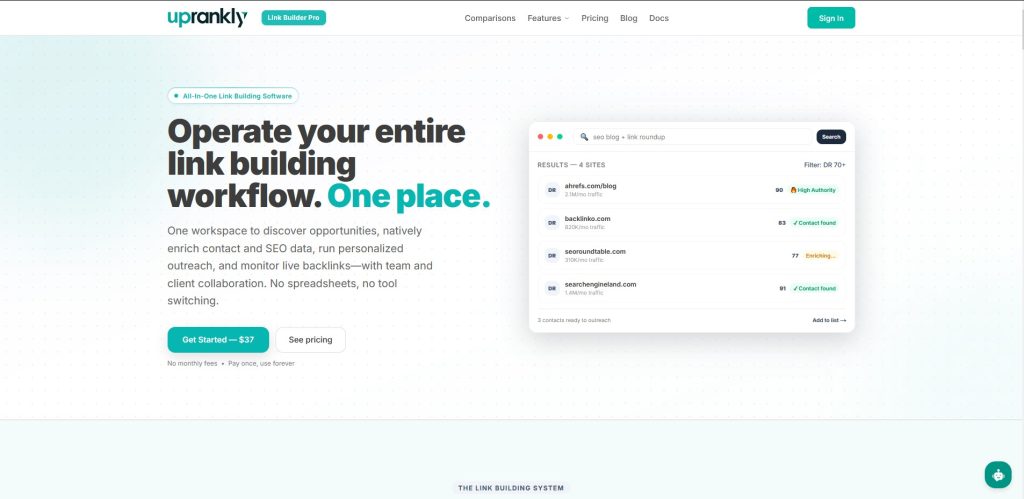
Uprankly Link Builder runs the full link building pipeline from a single dashboard: prospect discovery, contact enrichment, AI-written openers, email outreach, reply tracking, and client reporting.
What sets it apart for agencies is the infrastructure around that pipeline. Every plan includes a client portal with branded dashboards where clients approve target domains before you pitch.
White-label reports are available on all plans, not just enterprise tiers. And there’s no per-seat pricing. Add your whole team without watching the bill climb.
The prospecting database holds 70,000+ pre-vetted sites. Filter by DR, niche, traffic, and language. Enrich contacts, generate a personalized opener, and send from your own inbox, all without leaving the platform.
You can assign campaigns to specific team members and control access per client with role-based permissions. That matters when you have junior link builders handling outreach and senior staff handling strategy.
Who it’s for: Agencies of any size that want one tool for the full pipeline, especially those tired of paying per seat.
Pros:
- Full pipeline: prospecting, outreach, tracking, monitoring, reporting
- Client portal with branded dashboards and domain approvals
- White-label reports on every plan (competitors charge extra)
- Unlimited team seats, no per-seat charges
- Campaign assignment with role-based access per client
Cons:
- Prospecting database is curated (70K+ sites), not a full web crawl like Ahrefs
- Newer brand, less name recognition than Pitchbox or BuzzStream
- No built-in backlink analytics (pair with Ahrefs or Semrush for gap analysis)
Pricing:
- Starter Pack: $37 one-time
- Starter: $119/mo
- Pro: $229/mo
- Agency: $499/mo
You can also run backlink gap analysis for free with Uprankly Link Planner, and track live links with Link Monitor.
2. Pitchbox — Best for Enterprise Agencies at Scale
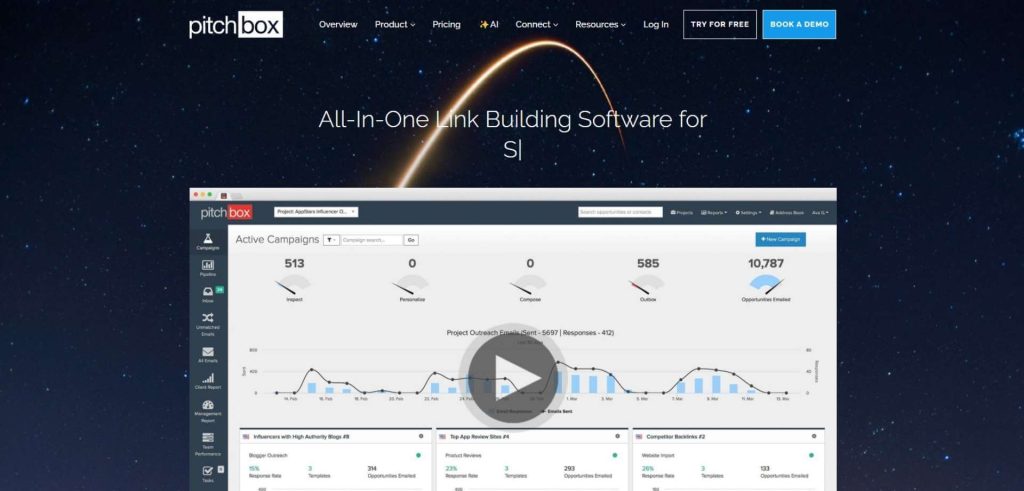
Pitchbox is the legacy heavyweight in agency link building. It handles prospecting, automated email sequences, and follow-ups across dozens of campaigns. If you’re running 50+ client accounts with dedicated outreach teams, Pitchbox has the workflow depth for it.
The platform connects to SEO tools like Ahrefs, Moz, Majestic, and Semrush for real-time domain metrics during prospecting. Its sequencing engine handles multi-step follow-ups with conditional logic.
The catch: pricing starts at $300/mo and climbs into four figures for agency tiers. There’s no client portal or white-label reporting on lower plans. And the learning curve is steep, expect 2-3 weeks before your team is comfortable.
For a detailed feature breakdown, see Uprankly vs Pitchbox and Pitchbox alternatives.
Who it’s for: Large agencies with dedicated outreach teams and budget to match.
Pros:
- Deep sequencing with conditional follow-up logic
- Native integrations with Ahrefs, Moz, Majestic, Semrush
- Built for high-volume campaigns (100+ prospects per client)
- Strong reporting for internal campaign management
Cons:
- Starts at $300/mo, Scale tier runs $1,000+/mo
- No built-in client portal
- White-label reporting locked behind higher tiers
- Steep learning curve
- Per-seat pricing adds up for larger teams
Pricing: Starts at $300/mo, Advanced $600/mo, Scale $1200/mo
3. BuzzStream — Best CRM-First Approach for Relationship Tracking
BuzzStream treats link building as relationship management. It tracks every email, every conversation, and every placement status per contact. If your agency runs long-term campaigns where you revisit the same publishers month after month, that history matters.
The interface feels more like a CRM than an outreach tool. You can tag contacts, set statuses, and filter by engagement level. Template management works well for teams running multiple campaigns.
The downside for agencies: per-seat pricing. Each user costs extra, so a 5-person outreach team pays 5x. There’s no client portal, so client reporting means exporting data and building reports elsewhere.
For more on how it compares, see Uprankly vs BuzzStream.
Who it’s for: Small-to-mid agencies focused on relationship-based outreach over high-volume prospecting.
Pros:
- Strong contact and relationship history tracking
- Good template management for teams
- Browser extension for quick prospecting
Cons:
- Per-seat pricing, costs grow with team size
- No client portal or branded dashboards
- No white-label reporting built in
- Prospecting is basic compared to dedicated tools
- Interface feels dated
Pricing: Starts at $49/mo per user. Scales with team size.
4. Respona — Best for AI-Powered Personalization
Respona leans heavily on AI for outreach personalization. It finds relevant content angles for each prospect and generates personalized openers based on their recent articles. The contact finder pulls from 24+ data sources.
For agencies, the AI personalization saves time on the most tedious part of outreach, writing the first line. The content-first prospecting approach works well for digital PR and guest posting campaigns.
The pricing model uses credits, which can get unpredictable at scale. And like BuzzStream, there’s no client portal, reporting goes through exports.
See the full comparison: Uprankly vs Respona.
Who it’s for: B2B-focused agencies that want AI to handle personalization and run content-driven outreach.
Pros:
- AI-generated personalized openers save hours per campaign
- Content-first prospecting (finds relevant articles, then contacts)
- Contact finder uses 24+ data sources
- Clean, modern interface
Cons:
- Credit-based pricing, costs fluctuate with usage
- No client portal
- No white-label reports on lower plans
- Can feel “black box,” less control over AI-written copy
- Starts at $100/mo but scales fast with credits
Pricing: Starts at $100/mo. Credit usage increases the effective cost.
5. Linkee — Best for Large Prospecting Database
Linkee offers one of the larger prospecting databases in the space, useful for agencies in niche industries where finding relevant sites is the bottleneck. The platform covers prospecting, outreach, and basic tracking.
It also includes role-based team permissions, which helps with campaign delegation. But there’s no client portal, and reporting is limited to internal dashboards.
Who it’s for: Agencies that need a big prospect pool and want to handle outreach in one tool.
Pros:
- Large prospecting database
- Role-based team permissions
- AI-powered outreach automation
- Competitive starting price
Cons:
- No client portal
- Limited reporting, no white-label options
- Tracking and monitoring less mature than Uprankly or Pitchbox
- Newer platform with less agency-specific depth
Pricing: Starts at $97/mo.
6. Hunter.io — Best for Contact Discovery (Outreach Add-On)
Hunter.io is a contact discovery tool, not a full outreach platform. But many agencies use it alongside their main link building software to find and verify email addresses.
Hunter Campaigns lets you send basic cold email sequences directly from Hunter. It works for small-scale outreach but lacks the pipeline depth agencies need at scale.
Who it’s for: Agencies that already have a prospecting workflow and need a reliable contact finder.
Pros:
- Accurate email finding and verification
- Domain search shows all known contacts at a company
- Simple API for integrations
Cons:
- Not a full link building platform, prospecting and tracking are separate
- Email campaigns are basic (no conditional follow-ups)
- Per-request pricing at scale
- No client portal, reporting, or team management for agencies
Pricing: Paid plans start at $49/mo.
7. Snov.io — Best for Multi-Channel Prospecting
Snov.io combines email finding, verification, and multi-channel outreach (email + LinkedIn). For agencies running outreach beyond email, the LinkedIn automation adds a second touch point.
The CRM tracks deal stages, which works if your agency also handles sales outreach. But the link-building-specific features (placement tracking, link monitoring) are thin.
Who it’s for: Agencies blending link building outreach with sales prospecting or running LinkedIn-heavy campaigns.
Pros:
- Email + LinkedIn outreach in one tool
- Built-in email verification
- CRM with deal tracking
- Drip campaign automation
Cons:
- Not purpose-built for link building, no link tracking or monitoring
- Credit-based pricing adds complexity
- No client portal or white-label reports
- Interface can feel cluttered with sales-focused features
Pricing: Free trial available. Paid plans start at $39/mo.
8. BacklinkManager — Best for Link Tracking and Monitoring Only
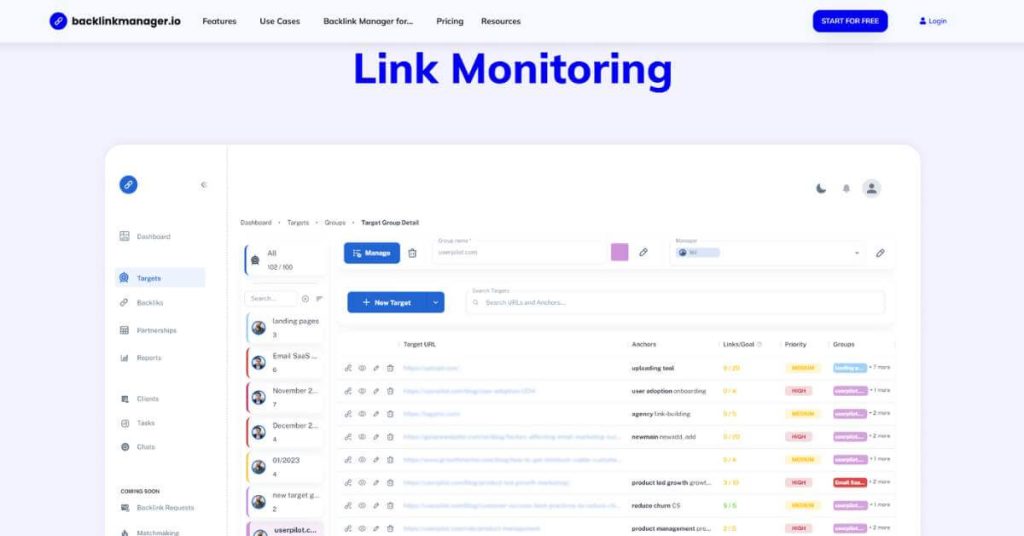
BacklinkManager focuses on what happens after the link goes live: monitoring status, tracking anchor text, and alerting you when links drop. It’s not an outreach tool, it’s the back end of the pipeline.
For agencies, it fills a gap if your main tool doesn’t include link monitoring. You can track links across all clients in one dashboard.
Uprankly’s Link Monitor offers similar functionality with auto-recovery workflows and 24/7 monitoring built into the same platform where you run outreach.
Who it’s for: Agencies that need a dedicated backlink monitoring tool separate from their outreach tool.
Pros:
- Focused on link health monitoring
- Tracks anchor text, status codes, and link changes
- Dashboard view across multiple clients
- Alerts when links go down
Cons:
- No prospecting, outreach, or contact finding
- Must pair with another tool for the full pipeline
- Smaller feature set compared to full platforms
- Limited reporting customization
Pricing: Starts at around $39/mo. Custom plans for agencies.
9. Linkody — Best for Backlink Monitoring and Link Health
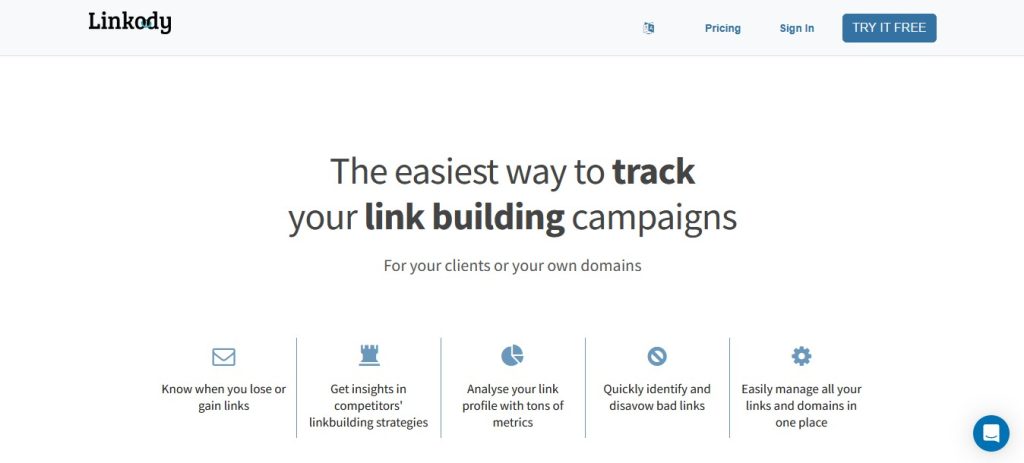
Linkody focuses on backlink monitoring rather than running the full outreach pipeline. It helps SEOs track new and lost links, monitor backlink status, review link quality, and keep an eye on competitor backlink activity.
For agencies, Linkody provides multi-user access, domain-level permissions, and client-ready white-label PDF reports. This makes it useful when different team members need access to specific client domains while keeping backlink reporting organized.
The platform checks monitored links approximately every 24 hours and can alert users when backlink statuses change. It can also identify new competitor links and show whether links are live, missing, broken, using the wrong rel attribute, or pointing to an unexpected landing page.
Pros:
- Strong backlink monitoring and status tracking
- Alerts for new, lost, and changed backlinks
- Competitor backlink monitoring and Link Intersect
- Link Visualizer for verifying backlink placement
- White-label PDF reports for client reporting
- Multi-user access with domain-level permissions
- Backlink metrics from Ahrefs, Moz, and Majestic
Cons:
- No dedicated outreach CRM or email sequencing
- Not a complete link-building pipeline like Uprankly or Pitchbox
- Broader SEO features are limited compared with all-in-one platforms
- Domain, backlink, and user quotas vary by plan
Pricing: Linkody offers a 30-day free trial without requiring a credit card. Paid plans currently start at €13.90/month for Webmaster, with higher tiers available for additional domains, monitored links, and users.
How to Pick Link Building Software for Your Agency
You can pick link building software by considering client count, team seats, reporting needs, and whether clients require portals.
How many clients do you manage?
If you’re under 10 clients, a lighter tool like BuzzStream or Postaga works. Past 10, you need client separation, team assignment, and reporting that doesn’t eat 3 hours a week. That’s where a full-pipeline tool like Uprankly or Pitchbox earns its cost.
Does your team share one login or need separate seats?
Per-seat pricing kills agency margins. A 5-person team on BuzzStream at $49/seat costs $120/mo and that’s without client reporting. Uprankly’s unlimited seats mean you add team members without touching the bill.
Do your clients expect a portal or just a monthly PDF?
If clients want to see progress in real time and approve target sites before outreach, you need a client portal. Only Uprankly offers that natively on all plans. Pitchbox gates it behind enterprise pricing. The rest don’t have one.
How Agencies Actually Use Link Building Software (Workflow)
Agencies use link building software to find prospects, enrich contacts, manage outreach, track placements, and report results. The workflow streamlines campaigns from backlink gap analysis through client reporting.
Here’s how an agency link building campaign runs from kickoff to report, and which tools handle which step:
Step 1: Gap analysis
Pull your client’s backlink profile and compare it to their top 3 competitors. Identify the sites linking to competitors but not to your client. You can do this free with Uprankly Link Planner or with Ahrefs/Semrush.
Step 2: Prospect filtering
Take that gap list and filter by relevance, domain rating, traffic, and niche. Remove sites that are link farms, PBNs, or irrelevant directories. In Uprankly, the 70,000+ site database is pre-vetted, so most of the junk is already gone.
Step 3: Contact enrichment
Find the right person at each site editor, content manager, or webmaster. Uprankly’s enrichment pulls contact data automatically. If you’re using a separate tool like Hunter.io, this is where you’d export and import.
Step 4: Outreach
Write personalized pitches. AI openers help at scale. Uprankly and Respona both generate them. But always edit before sending. A bad AI email burns the prospect for good.
Step 5: Follow-up and tracking
Track opens, replies, and placements. Follow up 2-3 times. Mark links as live when they go up.
Step 6: Reporting
Send white-label reports to clients showing links acquired, DR of linking sites, anchor text distribution, and campaign progress. In Uprankly, this ships from the client portal. Everywhere else, you’re building it in Google Sheets or a reporting tool like Swydo.
If you’re still building this pipeline with 3-4 separate tools, check how the roundups compare: best link building outreach tools and best link building tools for 2026.
FAQ: Link Building Software for Agencies
What is the best link building software for agencies?
For most agencies, Uprankly Link Builder (starting price $37/mo) offers the best value. It covers the full pipeline: prospecting, enrichment, outreach, tracking, and client reporting with white-label reports on every plan and unlimited team seats. Larger enterprise agencies with 50+ clients may prefer Pitchbox ($300/mo+) for its deeper sequencing features.
How much does agency link building software cost?
Prices range from $49/mo (BuzzStream, per user) to $300+/mo (Pitchbox). Most mid-range tools fall between $97-$119/mo. Watch for per-seat pricing and a tool that costs $49/user becomes $120/mo for a 5-person team. Also check whether client-facing features like white-label reports cost extra.
Do I need a client portal in my link building tool?
If you manage more than 5 clients, a client portal saves significant time. Without one, you’ll spend hours each week building reports manually and fielding email questions about campaign status. A portal lets clients see progress in real time and approve target sites before outreach which also protects you from “why did you pitch that site?” conversations.
Can I use free tools for agency link building?
You can start with free tools like Hunter.io (25 searches/mo) and Uprankly Link Planner (free backlink gap analysis). But free tools won’t scale past 2-3 clients. You’ll need a paid platform for outreach sequencing, team management, and client reporting.
What’s the difference between link building software and SEO tools like Ahrefs?
Ahrefs and Semrush are research tools. They show you who links where and help you find opportunities. Link building software picks up where research ends. The tools handle the outreach, follow-ups, placement tracking, and reporting. Most agencies use both: Ahrefs for analysis, a link building platform for execution.
How do I switch link building tools without losing data?
Export your contact lists, email templates, and campaign history from your current tool before switching. Most platforms support CSV exports. Import contacts into your new tool, rebuild your templates (or let AI generate new ones), and re-tag contacts by client. The transition usually takes 1-2 weeks for a mid-size agency.
Should I pick a tool with AI outreach or write emails manually?
AI-generated openers save time on the first line which is the most tedious part of outreach. Tools like Uprankly and Respona generate personalized openers based on the prospect’s content. But always review before sending. A generic AI pitch gets ignored. A good approach: let AI draft, then a human edits the first 2 sentences.
