AI platforms like Google AI Mode and ChatGPT Search run multiple hidden searches before answering a user prompt.
Top tools for tracking query fan-out keywords reveal hidden searches, making it easier to create a content strategy that AI systems retrieve and cite.
Key Takeaway
- Profound, Rankability, Otterly, Wellow, etc. uncover hidden fan-out queries for smarter content planning.
- Fan-out queries improve topic coverage, AI visibility, and opportunities for answer engine retrieval.
- Choose a tool based on research depth, AI tracking needs, and reporting requirements.
So, if you are planning content for AI search, I have rounded up the best query fan-out generators in this Uprankly guide. I tested 20+ tools to curate this list, and all of them help create an effective content strategy.
Tools to Track Query Fan-outs Comparison Table
The comparison table below highlights which tool is best, its strengths and limitations, and pricing.
| Tool Name | Best for | Strengths | Limitations | Price |
| Profound | Large content teams | – Hidden query discovery – AI retrieval patterns – Topical cluster planning | Small teams | Starting at $99/month |
| Wellow | SEO content planners | – Semantic query expansion – Intent-based grouping – Opportunity scoring | No AI tracking | Free |
| Otterly | SEO Content Strategists | – Multi-platform sub-queries – Query reasoning – CSV export | Basic fan-out depth | Free |
| Rankability | Growing Content Teams | – Query branch mapping – SERP analysis – Content brief generation | No monitoring | Free |
| LLMrefs | SEO content teams | – AI query prediction – Hidden search paths – Intent-based planning | Limited branches | Free |
| SE Ranking | ChatGPT optimization | – ChatGPT search queries – Prompt interpretation – Batch query extraction | ChatGPT only | Free |
| RadarKit | Agencies & enterprise teams | – Citation tracking – Share of voice – AI visibility workflow | Project setup | $29 |
What is a Fan-Out Query in Search Engines and Why Does It Matter?
A fan-out query is a set of hidden search queries that an AI search engine generates from a single user prompt before generating the final answer.
Instead of relying on a single search, the AI breaks the prompt into several related searches to gather better information from different sources.
Example:
If a user asks ChatGPT,
“What’s the top blogger outreach tools for SaaS link building?”
Then, the AI splits the prompt into several hidden sub-queries, such as:
- Reformulations: Which blogger outreach tools work best for SaaS link building?
- Related Questions: How do I choose the right SEO outreach software for my SaaS product?
- Comparisons: LinkPro vs Buzzstream for SaaS blogger outreach: Pros and cons.
- Adjacent Topics: How to write a blogger outreach email that converts for SaaS.
Now, you must be wondering why you should track these fan-out queries.
You should track AI fan-out queries because they reveal the hidden searches AI engines perform before generating answers. This way, creating topical clusters and generating content becomes easier, aligning AI retrieval patterns and improving visibility.
Here are the key reasons to track query fanout keywords in 2026
Gives Roadmap for Content Strategy
A complete content strategy becomes much easier after you start tracking fanout keywords. Hidden variations reveal which comparison pages, FAQs, use-case deep dives, and commercial landing pages deserve priority.
Coverage around those topics also helps an answer engine retrieve your content more often.
Finds Hidden Intent
Many user searches contain several hidden intents beyond the original keyword. Fanout keyword variations reveal missing-fit questions and commercial searches across SaaS and B2B topics. Better intent matching leads to content that answers what users and AI systems actually need.
Provides Content Branch to Win AI Searches
Every fanout branch creates new article ideas around the same topic. Additional comparison pages, FAQs, use-case deep dives, and commercial landing pages strengthen topical coverage. More supporting content gives every answer engine more reasons to retrieve your pages.
Show Content Gap
Missing topics become much easier to identify after reviewing fanout keyword variations. Unanswered fit questions, weak coverage, and overlooked article ideas appear quickly. Closing those gaps helps your website cover every important branch before competitors do.
What are the Best Tools to Track Query Fan-out Keywords?
The top query fan-out tools include RadarKit, Profound, Wellow, Otterly, Rankability, LLMrefs, and SE Ranking.
I have described each tool’s features, strengths, limitations, and ideal use cases below so you can choose the right one for your content strategy.
#01. Profound
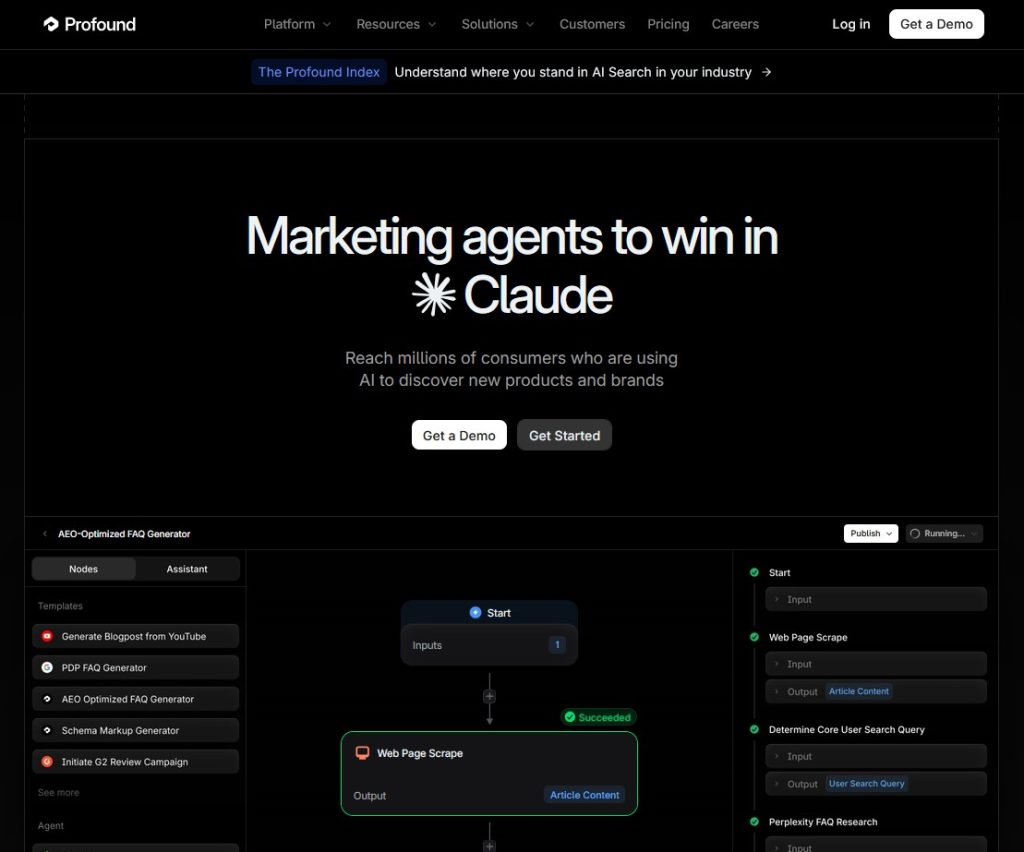
On 8 Oct,2025, Profound released the fan-out query feature to help you see what is happening under the hood of LLM models before generating answers.
You can identify high-intent queries that drive information retrieval and plan your content strategy.
Large content teams can quickly identify expanded queries, understand AI retrieval patterns, and build topical clusters that match how answer engines actually search for information.
Key Features
- Reveals hidden search queries generated before answer engines retrieve information.
- Displays query intent variations instead of only the original user prompt.
- Identifies AI keyword expansions like “best,” “reviews,” “top,” and “2025.”
How I Used Profound to Find Query Fan-Out
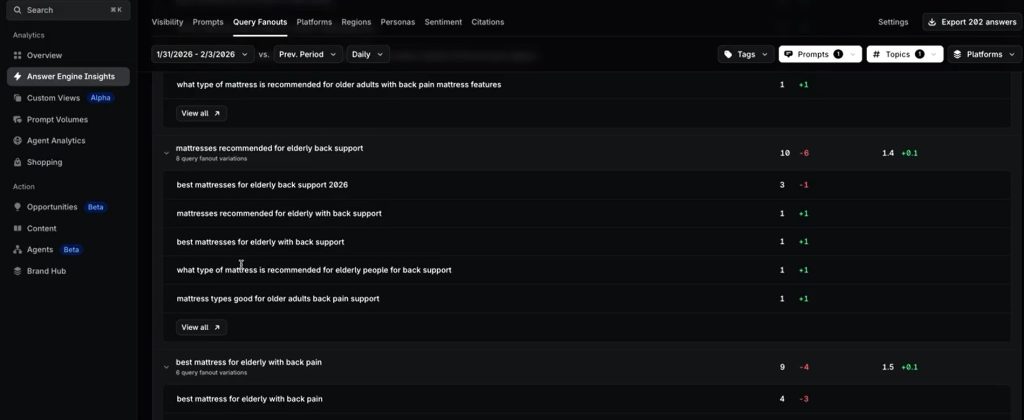
- Step 01: First, I opened Query Fanout Analysis and entered the prompt I wanted to analyze.
- Step 02: A list of fan-out variations appeared, showing how the answer engine expanded my prompt into multiple search intents.
- Step 03: From there, I looked at the highest-share variations because those are the queries the engine uses most during retrieval.
- Step 04: Next, I reviewed the word transformations to understand which terms the answer engine added, removed, or replaced.
- Step 05: Different personas were also available, so I compared them to see how the generated queries changed for different audiences.
- Step 06: After identifying the important variations, I used them to plan content that matched the language preferred by the answer engine.
- Step 07: Finally, I repeated the same process with my other prompts to discover more query opportunities and expand my topical coverage.
Where it Works Well
Profound works best for content teams that want to see how answer engines expand user prompts before retrieving information.
The tool helps you uncover hidden query variations, build stronger topical clusters, and create content that matches real AI retrieval patterns.
Where it has limitations
Provides limited value for small teams with simple AI research and content planning needs.
#02. Wellow
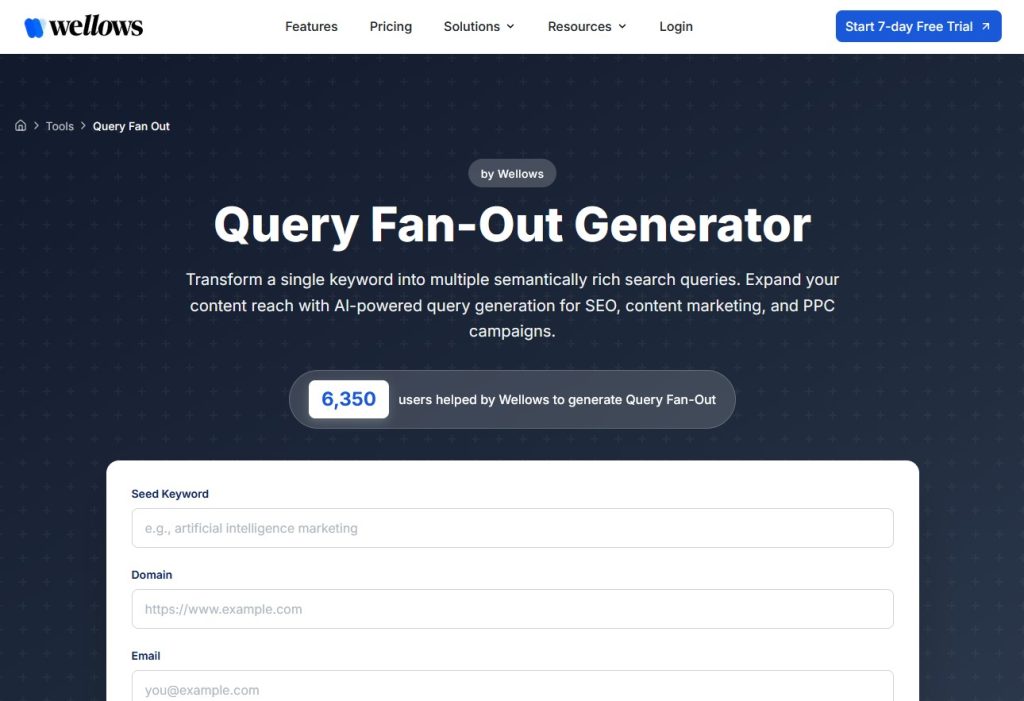
Wellow llm query fan-out generator transforms a single keyword into multiple semantically rich search queries. This way, you can map supporting topics, brainstorm content angles, and create a content cluster for the main topic.
Moreover, the tool categorizes queries by search intent to align with user behavior and AI citation goals. It also lets you evaluate each query fan-out seo using an opportunity score based on its popularity, prominence, and relevance.
Let’s look at the Wellows query fan out tool features
Key Features
- Expands seed keywords into semantically related queries for broader topic coverage.
- Groups queries by search intent to match user behavior and content goals.
- Scores and prioritizes queries using relevance, popularity, prominence, and strategic importance.
How I Used Wellow to Find Query Fanouts
- Step 01: I entered the Primary Keyword to begin generating AI query fanouts.
- Step 02: Generate Query Fanouts to discover semantic query variations and retrieval patterns.
- Step 03: Filter & Prioritize Results using intent, relevance, and opportunity scores.
- Step 04: Export Your Query List for Topical Clustering and AI-Focused Content Planning.
Where it Works Well
Wellow works best when you want to turn one keyword into 50+ related search queries. You can understand search intent, pick the best content ideas, and group topics into clear content clusters.
Where it has Limitations
After building your content strategy with Wellow’s query suggestions, you’ll likely want to see whether your content is actually gaining AI visibility.
Unfortunately, Wellow cannot track that, so you’ll need a separate tool to monitor your performance across answer engines.
#03. Otterly
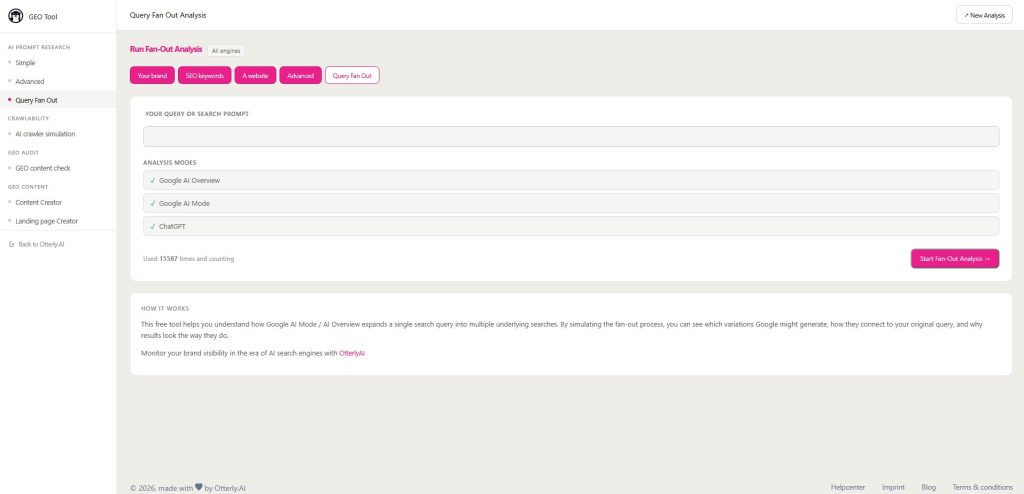
Although Otterly is best known for AI visibility monitoring, its Query Fan-Out tool helps you understand how Google AI Mode and AI Overviews expand a single search query into multiple underlying searches.
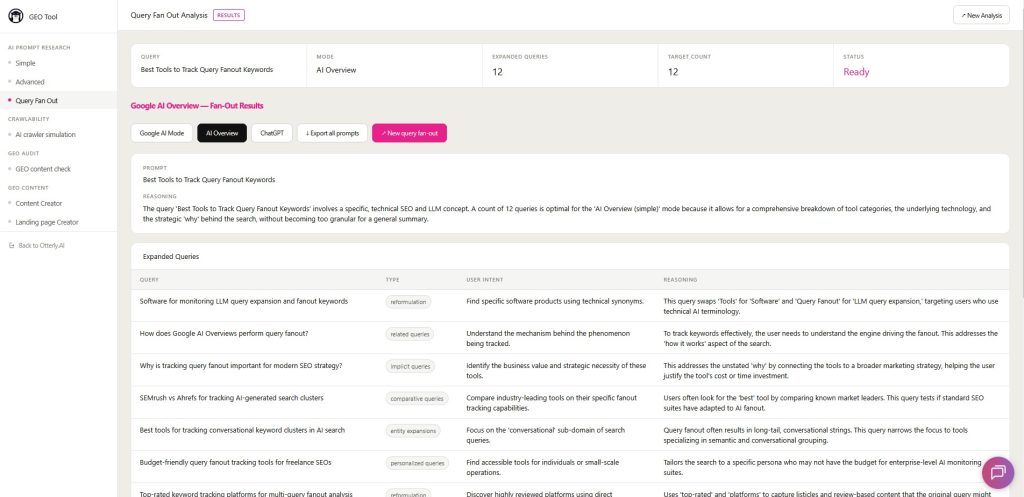
You can generate 50+ sub-queries for Google AI Mode, ChatGPT, and AI Overviews. Otterly also shows the query type, user intent, and reasoning behind each expanded search.
The best part is that Otterly sends the complete report directly to your email. And, all generated prompts are also available for export as a CSV file for future use.
Key Features
- Extends one prompt into multiple AI-generated sub-questions for deeper query coverage.
- Maps hidden query relationships to visually reveal AI search expansion paths.
- Supports content planning by exposing related search branches behind each prompt.
How I used Otterly to Find Query Fan-out
- Step 01: First, I opened the Otterly Query Fan-Out page and entered my seed keyword in the “Your Query or Search Prompt” field.
- Step 02: Next, I clicked “Start Fan-out Analysis,” then entered my first name and email address to receive the report.
- Step 03: After that, I selected “Process Fan-out Analysis,” and a pop-up notification appeared: “We will email you when results are ready.”
- Step 04: A few seconds later, the report arrived in my inbox. I opened the email, clicked the link, and viewed all the generated sub-queries for my seed keyword.
Where it Works Well
Otterly works well when the goal is to see how one search query branches into dozens of AI-generated searches. During my testing, the reasoning behind each sub-query made it much easier to understand why answer engines retrieve certain content.
Where it has Limitations
Teams looking for detailed fan-out trees may find the Otterly query expansion features less comprehensive.
#04. Rankability
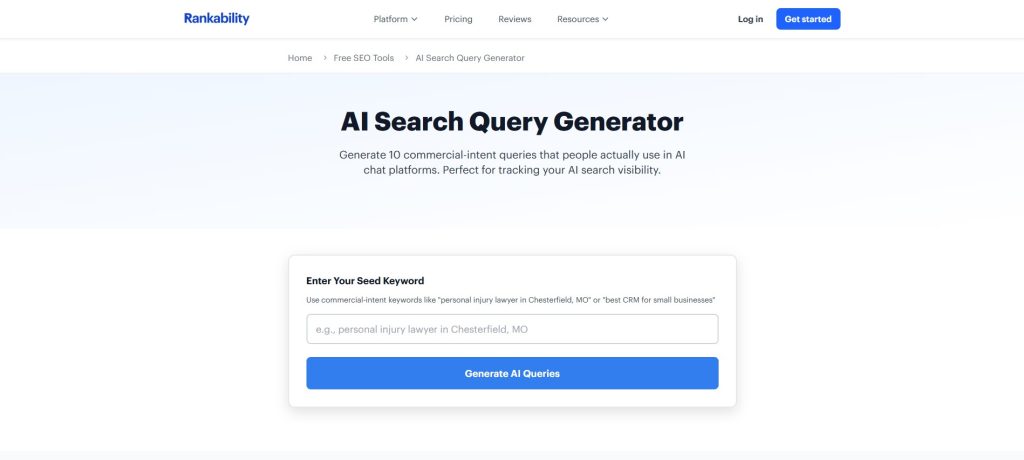
Rankability AI Search Fan-out Query analyzes a single search prompt, breaks it into multiple sub-queries, and searches all of them at the same time.
Each sub-query covers a different angle, entity, or context, making it easier to understand query expansion and plan content for AI search.
Key Features
- Reveals hidden sub-queries from seed keywords and AI search behavior.
- Analyzes search intent and SERPs to uncover topic gaps and authority signals.
- Tracks AI citations while generating content briefs from common headings and questions.
How I used Rankability to Find Query Fan-out
- Step 01: First, I opened the Rankability AI Search Query Fan Out tool, entered my seed keyword in the search box, and clicked “Generate Fan Out.”
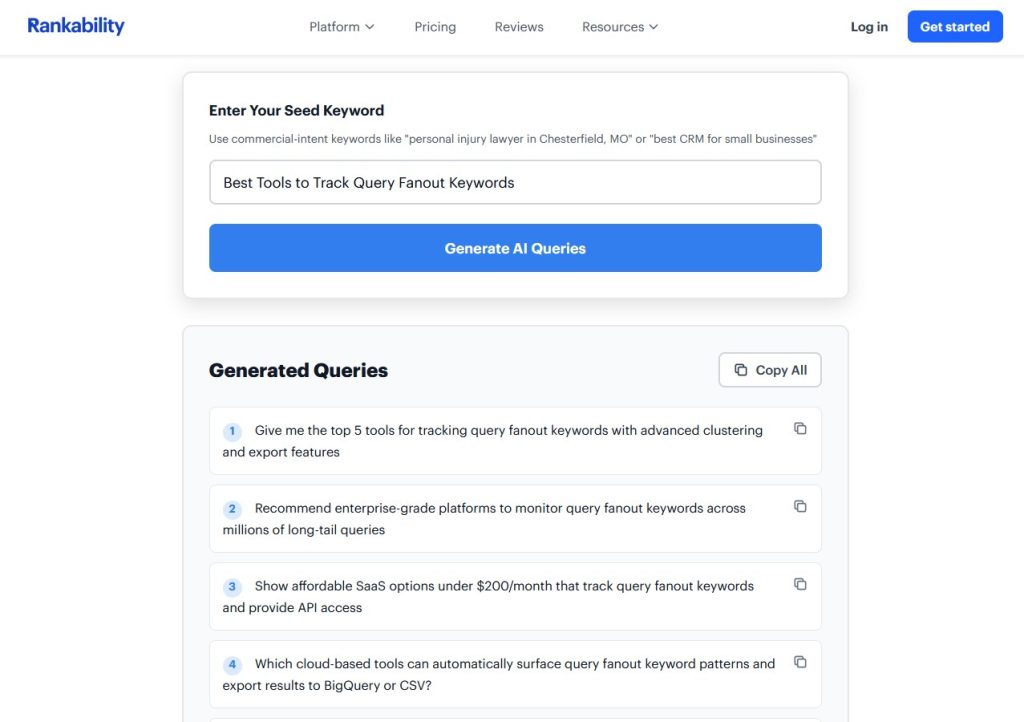
- Step 02: Within a few seconds, Rankability grouped the generated queries into Reformulations, Related Questions, Comparisons, and Adjacent Topics, making the expansion paths easy to understand.
- Step 03: Next, I switched between List View and Tree View to see both the complete query list and the visual branching structure from the original prompt.
- Step 04: Finally, I exported the results as a PNG and also emailed the complete report for future content planning and topical clustering.
Where it Works Well
Rankability works well when you need a quick way to discover fan-out queries and related topic ideas. The generated query branches make semantic expansion and early content planning much easier.
Where it has limitations
Long-term AI visibility monitoring, citation tracking, and detailed performance reporting are not available, so a separate platform is needed after the planning stage.
#05. LLMrefs
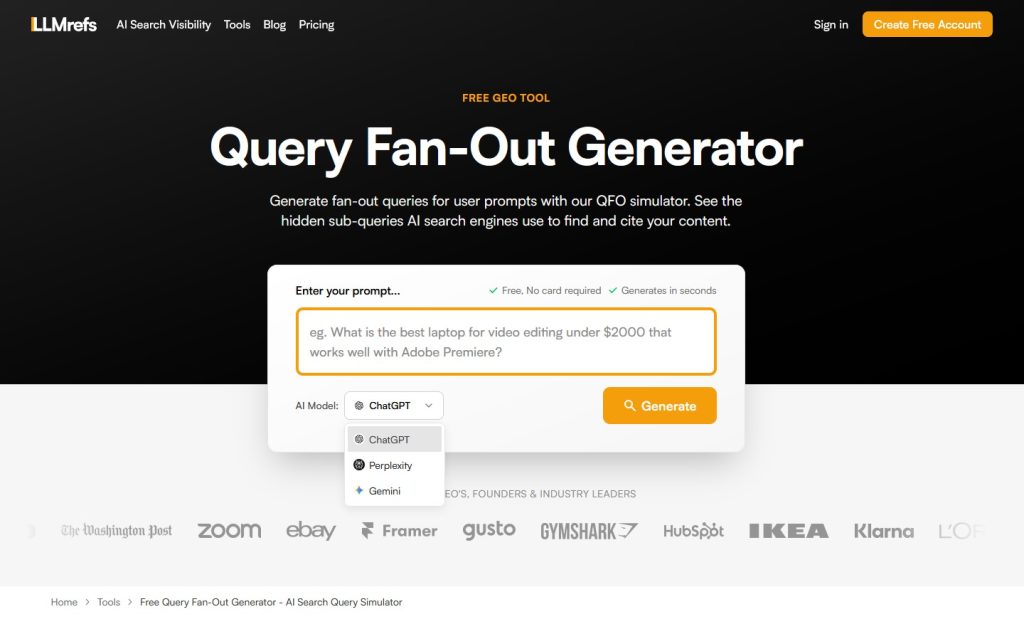
LLMrefs takes a seed keyword and expands it into conversational sub-queries that answer engines may use during retrieval. Instead of guessing hidden search paths, the tool reveals related query branches based on how AI platforms like ChatGPT, Google AI Mode, Gemini, and Perplexity expand user searches.
For quick query fan-out research, LLMrefs does a solid job. During my testing, it made hidden search branches much easier to spot and provided a fast way to explore new content angles before creating topical clusters.
Key Features
- Generates realistic fan-out queries based on observed AI search behavior patterns.
- Learns from millions of AI searches to predict likely sub-query expansions.
- Delivers hidden query patterns using trained prompts and fan-out query pairs.
How I used LLMrefs to Find Query Fan-out
- Step 01: First, I entered my target search prompt and selected the AI model (ChatGPT, Perplexity, or Gemini) I wanted to analyze.
- Step 02: Next, I started the analysis to generate the fan-out queries behind the original prompt.
- Step 03: Finally, I reviewed the generated subqueries and checked Google and Bing results to identify which pages were already ranked for each query.
Where it Works Well
SEO and content teams can use LLMrefs to find the sub-queries AI models use to answer a user query. The generated sub-queries from LLMrefs make it easier to organize content plans around search intent, user needs, and AI retrieval paths.
Where it has limitations
Hidden query branches are limited, making it harder to explore every search path behind a prompt.
#06. SERanking
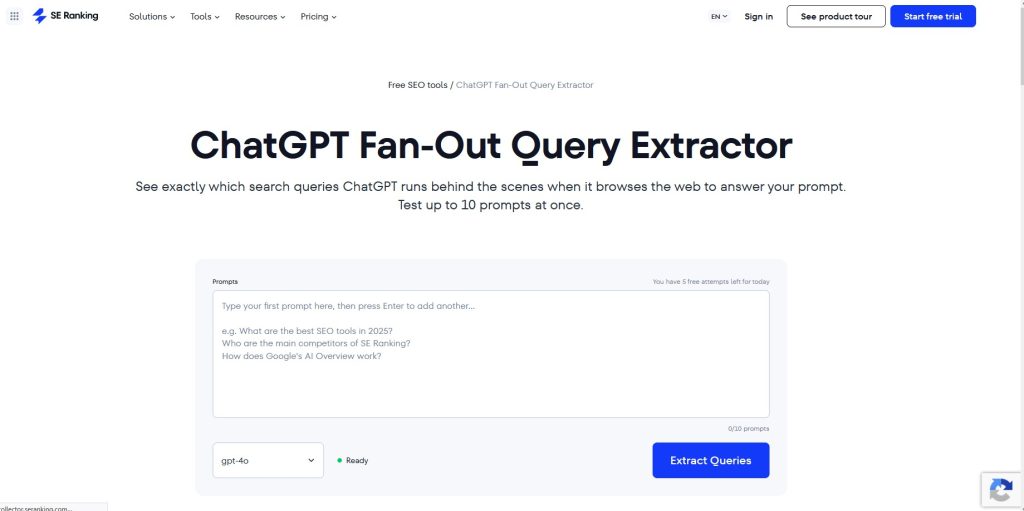
The ChatGPT Fan-Out Query Extractor by SE Ranking is a free utility designed to reverse-engineer how AI search models interpret user prompts and execute background sub-searches.
It lets you test up to 10 prompts per batch to uncover hidden keyword variations. You can use the fan-out queries to audit your content and track ChatGPT brand visibility. Thus, you will have a clear picture of where to focus your efforts and refine the strategy to get AI visibility.
Key Features
- Reveals ChatGPT’s internal search queries before generating the final response.
- Shows how ChatGPT interprets prompts before retrieving web-based information.
- Helps create content around the searches ChatGPT actually performs.
How I used SEranking to Find Query Fan-out
- Step 01: First, I entered the prompts I wanted to test and selected the ChatGPT model (gpt-4o/4.1 / 5.1 / 5.2) for the analysis.
- Step 02: Next, I clicked “Extract Queries” to see which prompts triggered a ChatGPT web search.
- Step 03: The tool then displayed the exact fan-out queries ChatGPT generated behind each prompt.
- Step 04: Finally, I exported the results as a CSV file for further analysis and content planning.
Where it Works Well
SE Ranking works well when the goal is to understand what ChatGPT searches before generating an answer. Hidden fan-out queries reveal the research path behind each prompt, enabling much more targeted content planning.
Where it has limitations
The tool only shows fan-out queries for ChatGPT. Exploring how other LLMs expand the same seed keyword requires a different tool, since every AI model uses its own query fan-out process.
#07. Radarkit
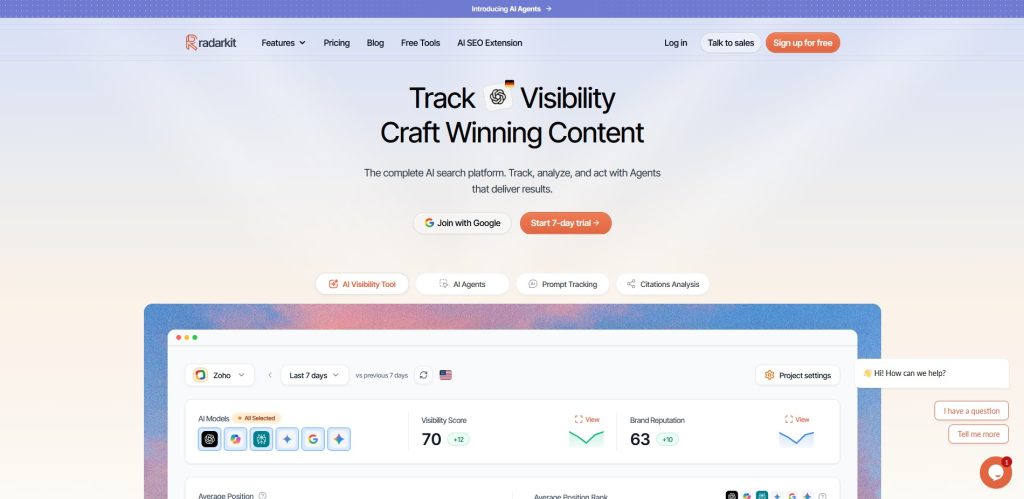
RadarKit goes beyond showing hidden fan-out queries by showing which brands and pages AI assistants cite for every hidden search.
Such an extra layer made the tool much easier to connect query fan-outs with AI visibility, content updates, and real citation opportunities across ChatGPT, Gemini, and Copilot.
Key Features
- Tracks hidden fan-out queries across real AI search platforms and prompts.
- Connects fan-out data with AI citations and share of voice metrics.
- Combines research, monitoring, and reporting in one AI search workflow.
How I Used Radarkit to find
- Step 01: First, I created a new project by entering the project name, website URL, target search engine, and tracking location.
- Step 02: Next, I opened the project dashboard and navigated to the Query Fanouts section.
- Step 03: Then, I selected the primary keyword I wanted to analyze from the tracked keyword list.
- Step 04: Finally, RadarKit displayed the related fan-out queries connected to my primary keyword, making it easier to identify additional topics for AI search content optimization.
Where it Works Well
Unlike most query fan-out tools, RadarKit connects every hidden search with AI citations, share of voice, and visibility data. That makes the generated data far more useful for ongoing content decisions.
Where it has limitations
Getting useful fan-out data requires setting up projects and tracking the right prompts first.
How I Evaluated when Choosing the Top Query Fan-out Content-cluster Tools
I evaluated the top fan-out query tools in this list by checking whether they classify the intent, generate sub-queries, map citation. Also, I looked for export and reporting features because once the sub-queries are generated, they should be downloadable for working.
Intent Classification
One of the first things I evaluated was how well each tool classified queries by user intent. Tools that grouped hidden searches into meaningful categories made fanout research much easier and helped us identify the right content angle for every stage of the customer journey.
Sub-Query Generation
Another factor I checked was the quality of the generated prompt branches. The best tools expanded a single main query into meaningful subqueries rather than repeating similar keywords. Strong query behavior also helped us build better topic coverage, content briefs, and topic clusters.
Citation Mapping
Citation mapping was another important evaluation factor. I preferred tools that linked Fanout data to real Citations, because hidden queries alone do not explain AI performance. That extra layer made it easier to understand how AI systems choose sources during retrieval.
Export and Reporting
I also evaluated how easily each tool exported Fanout data for future analysis. Clean reports simplified monitoring, improved collaboration, and made it easier to reuse insights while creating new content briefs and expanding existing topic clusters.
AI Search Visibility Tracking
Finally, I examined whether each platform connected Fanout data to AI visibility tracking. Combining both features made monitoring much more useful because I could see whether those hidden queries actually improved visibility across different AI systems.
FAQ
How does query fan-out affect search results?
Query fan-out expands a user’s search into multiple related queries and intents. Search engines use these connections to better understand context, identify relevant content, and deliver more complete results beyond the original keyword.
Why is query fan-out important for brands and SEO?
Query fan-out helps brands discover hidden user needs and create content that matches different search journeys. It improves SEO by increasing visibility, covering related topics, and building stronger topical authority across search results.
Query fanout keywords and traditional keywords — What are the differences?
Traditional keywords focus on specific search terms, while query-fan-out keywords represent related topics, questions, and user intents. Fan-out keywords reveal broader search patterns, helping content address multiple related needs rather than a single query.
How often do query fan-out paths change?
Query fan-out paths can change regularly as user behavior, trends, algorithms, and available information evolve. Some paths remain stable for years, while others shift quickly due to seasonal interests, new products, or emerging topics.
Can I manually find query fan-outs for writing content?
Yes, you can manually find query fan-outs by analyzing search suggestions, related searches, People Also Ask sections, forums, and competitor content. These sources reveal connected questions and topics that help build comprehensive content.
What is Next?
Fan-out queries uncover the hidden searches behind every AI response. Each hidden search creates a new content opportunity for comparison pages, FAQs, use-case guides, and other supporting content. Answering those branches gives AI systems more relevant pages to retrieve and cite.
Success in AI search will depend less on keywords and more on how well your content covers hidden query fanout branches.
So, choose a tool from the above-mentioned list, identify hidden queries, create a content strategy, and get AI mentions.
Start with a gap analysis in Link Planner to find which competitor pages earn citations you don’t.
